


An AGV may be mechanically sound and connected to the fleet manager, yet still fail to complete a warehouse mission because the task information is incorrect or incomplete.
Examples include an invalid destination, an unavailable storage location, an incorrect pallet ID, or a task that has already been completed in another system.
For buyers integrating Chinese AGVs with an existing WMS, task-error handling should be reviewed before go-live. The objective is to prevent incorrect commands from turning into inventory discrepancies or repeated vehicle stops.
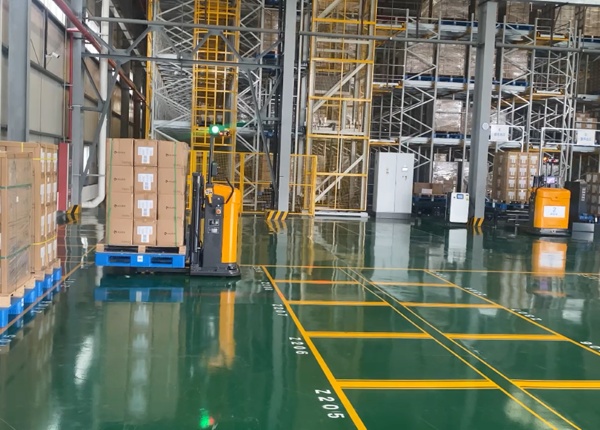
In a typical architecture, the WMS manages warehouse inventory and business tasks, while the RCS or fleet manager coordinates vehicle missions and traffic.
The exact division of responsibility varies by project. The interface specification should define which system creates, validates, accepts, updates, and closes each task.
Unknown pickup location
Invalid destination location
Duplicate task ID
Incorrect pallet identification
Unavailable storage position
Missing task parameters
Invalid task priority
Task cancellation after execution begins
Communication timeout
Conflicting task status between systems
Each error should have a defined response rather than relying on an operator to interpret an unexplained alarm.
Where practical, invalid task information should be identified before a mission is assigned to a vehicle.
For example, the fleet system may check whether a location exists, whether the task contains required fields, and whether the requested operation is supported.
Validation rules should be documented in the WMS-RCS interface specification and tested with both valid and invalid messages.
Duplicate tasks can occur when messages are resent after a timeout or when system status is not synchronized.
The interface should define how each task is uniquely identified and what happens when the same task is received more than once.
Ask the supplier whether duplicate messages are rejected, recognized as an existing task, or treated as a new mission.
Task cancellation becomes more complicated after an AGV has started moving or picked up a pallet.
The system should distinguish between tasks that have not started, tasks in progress, and tasks that have physically completed but have not yet been confirmed by the WMS.
For each state, define whether cancellation is permitted, whether the vehicle must complete a safe action, and how inventory status is reconciled.
A delayed response does not necessarily mean that the original task failed.
For example, the WMS may not receive a confirmation even though the AGV has already completed the physical movement.
The systems should use clear message identifiers, status reporting, retry rules, and reconciliation procedures to avoid creating a second movement for the same pallet.
One of the most important issues is the difference between a task's digital status and the pallet's actual physical location.
If a pallet has moved but the WMS still shows its previous location, the warehouse may issue another task based on incorrect inventory information.
Define how the system confirms pickup, delivery, task completion, and inventory updates. Include a manual reconciliation process for exceptional cases.
Integration testing should include more than successful task execution.
Test invalid locations, duplicate messages, delayed acknowledgments, cancelled tasks, unavailable destinations, and interrupted communication.
For each test, record the expected system response, actual response, error message, recovery action, and final inventory status.
| Issue | Responsibility to Define |
|---|---|
| Invalid location | Which system validates the location? |
| Duplicate task | Which system prevents duplicate execution? |
| Communication timeout | Who retries and reconciles the task? |
| Failed pickup | Who updates the physical and digital status? |
| Task cancellation | Which actions are allowed at each task state? |
A robust WMS-AGV integration is not defined only by how quickly it sends tasks. It is also defined by how clearly both systems respond when task data is wrong, delayed, repeated, or inconsistent.





 Chinese
 English