


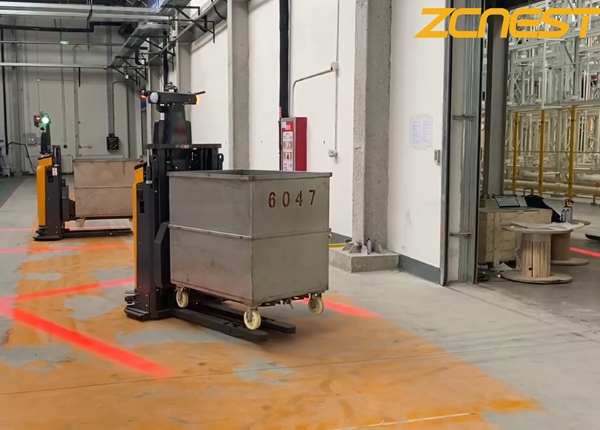
In most mid-to-high-end AGV systems, the answer is yes—fully or partially.
Common capabilities include:
Multi-language UI packs (English + Spanish typically standard; Hindi depends on vendor maturity)
Role-based interfaces (Operator / Supervisor / Engineer views)
Custom dashboard layouts (KPIs, alarms, task tracking)
The key factor is whether the system is:
Web-based HMI → highly flexible, easiest to customize
Embedded firmware UI → limited flexibility, slower changes
Another critical factor is whether language support is:string-based (easy translation) or hard-coded (difficult to modify).
Yes. Icon-driven AGV interfaces are a major trend in modern warehouse automation.
Supported functions typically include:
Start / stop / charge / return (icon-based control)
Color-coded safety zones and alerts
Drag-and-drop task assignment
Map-based interaction instead of menu navigation
However, text is still required for:
Error codes and diagnostics
Safety warnings
Maintenance instructions
API / integration logs
Realistic expectation: 70%–90% icon-driven UI is achievable, but not fully text-free.
Voice assistance is emerging but not yet universal across all AGV platforms.
Capability levels:
Level 1 – Basic: No voice support, manual HMI only
Level 2 – Mid-tier: Voice alerts for system events (e.g., “Battery low, please charge”)
Level 3 – Advanced: Step-by-step voice-guided troubleshooting and maintenance support
Most Chinese AGV vendors today operate at Level 2 to early Level 3.
Yes—and this is a critical safety requirement in professional deployments.
Role-based access control typically includes:
| Role | Access Level |
|---|---|
| Operator | Start/Stop, task view only |
| Supervisor | Task assignment, basic overrides |
| Engineer | System configuration, maps, safety zones |
| Admin | Full system control |
You can lock:
Navigation parameters
Safety zones
Speed limits
Network / Wi-Fi settings
Firmware update permissions
Best practice: Operators should never access system configuration layers.
Language scalability depends heavily on software architecture.
Case A – Modern RCS (Best Case)
Uses internationalization (i18n) framework
Language files stored externally (JSON/XML)
Easy plug-and-play expansion
Example:en.json / es.json / hi.json
✔ Spanish: easy
✔ Hindi: feasible
✔ Deployment time: days
Case B – Semi-modern system
Partial language support
Some UI strings hard-coded
Requires vendor engineering support
⏳ 2–6 weeks typical update cycle
Case C – Legacy system
No structured translation layer
UI embedded in firmware
❌ Requires code modification
❌ Expensive and slow
❌ Sometimes not feasible
Recommended UI design approach:
Icon-first interface for operations
English as system backbone language
Optional Spanish / Hindi toggle
Color-coded safety indicators (language-independent)
Operational design principle:
Reduce reliance on reading-heavy screens; prioritize visual workflows and guided actions.
Even advanced AGV HMIs are not fully “multilingual-native.” The real differentiator is not language count—but:
UI intuitiveness
Permission safety design
Error recovery simplicity
Operator training efficiency
In real warehouses, clarity and safety matter more than translation completeness.
FREE ENGINEERING SUPPORT Stop Gambling on Generic Platforms. Get an AGV/AMR Tailored to Your Warehouse.Buying automated guided vehicles involves complex safety standards (CE/ANSI), navigation setups (Laser SLAM), and ERP system integration. Don't risk your factory safety with middle-men. ✓ 100% Direct Factory: Customized payload up to 5 Tons. ✓ Free CAD Simulation: Send us your layout, and our engineers will simulate the optimal AGV routes. ✓ Global Support: Overseas installation guidance & local maintenance partners. |





 Chinese
 English